


Aesthetic Wallpaper for Girls
4.9472.00 Reviews
App Specs
- Version
- 8.1.0
- Updated On
- License
- Free
- Downloads
- 1,000,000+
- Developer
- DOSA Apps
- Categories
- Personalization
- Platform
- Android
Screenshots
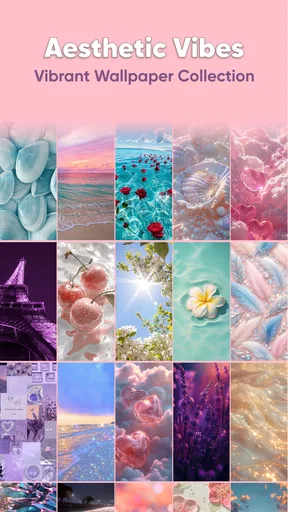
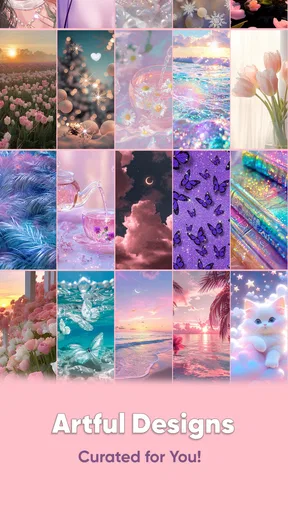
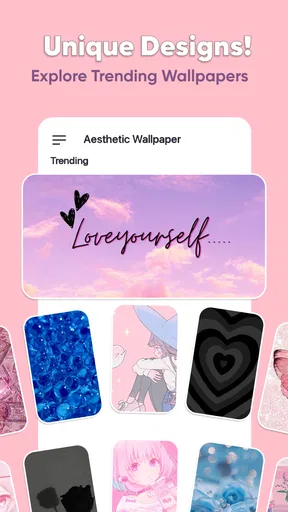
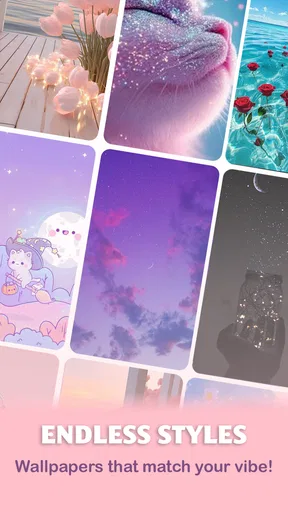
 Analysis by AppCompare
I like changing my wallpaper when my phone starts to feel familiar in the wrong way: the screen still works, but opening it no longer feels like mine. Aesthetic Wallpaper for Girls is aimed at that small, satisfying reset, with a collection of decorative backgrounds for people drawn to cute, feminine, and polished looks. It is a free personalization app from DOSA Apps, rated for Everyone, and its focus is straightforward: help you find a background that suits your taste without turning phone customization into a project.
What to expect from the wallpaper collection
The app has an average rating of 4.9 from around 31,000 ratings, and more than a million installs. Those figures suggest it has found an audience, but the important question for a new user is whether its style matches yours. If you enjoy soft colors, playful details, or a coordinated aesthetic, the emphasis should feel familiar. If you mainly want plain gradients, landscape photography, or abstract art, a broader wallpaper library may be a better starting point.
Rather than treating a wallpaper app as a collection you need to explore from end to end, I’d use this one to solve a small, specific need: find one image that looks good behind your icons and feels right for the way you use your phone. That keeps the choice manageable. A wallpaper can look lovely on its own yet become distracting once notifications and app labels sit on top of it, so judge each option as a working screen, not just as a picture.
Your Gateway to Stunning Visuals
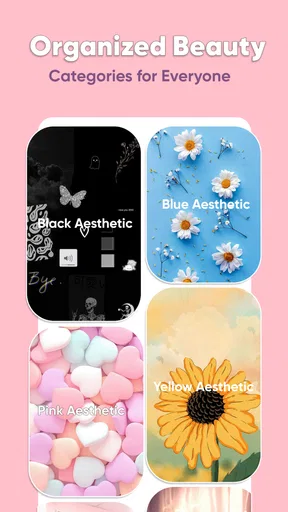
The first thing you’ll notice about Aesthetic Wallpaper for Girls is its beautiful and user-friendly interface. The app is designed to be straightforward, so you can spend less time figuring it out and more time enjoying your new wallpapers. The main screen greets you with a variety of categories that cater to every mood and style. Whether you're feeling pastel, bold, or minimalist, there's something for everyone.
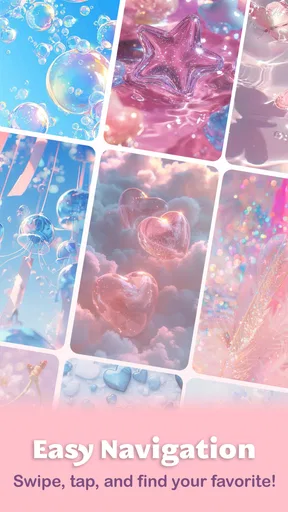
Browsing through the categories feels like flipping through a magazine, with each wallpaper more eye-catching than the last. You can view the wallpapers in full-screen mode to get a better idea of how they’ll look on your phone. This feature is particularly handy because it helps you visualize the wallpaper without committing to it right away.
First setup: make the first choice easier
On your first visit, I’d resist the urge to keep scrolling until you have dozens of possibilities. Start with the mood you want your screen to have, then open a few candidates in full-screen view. Look at where the visual weight falls: a detailed center can compete with icons, while a quieter area near the top may make the lock screen easier to read. This is a practical way to narrow the options even when two wallpapers seem equally appealing in the preview.
If you use different home and lock screens, think about them as a pair rather than assuming one image must do both jobs. A lively design may work well on the lock screen, where you mostly glance at the time, but feel busy behind a grid of apps. Conversely, a simpler background can make the home screen feel calmer while a more expressive image gives the lock screen personality. Trying the preview first helps you avoid changing your mind after the wallpaper is already in place.
Worth Reading Before You Choose

Flipboard Shows What News Apps Must Do Beyond the Feed

Switching to Android Auto Means Rethinking Your Driving Routine

Google Calendar Makes a Crowded Week Easier to Manage

Ludo King Makes the Most of the Minutes Between Plans

Baby Panda World Brings Quick Play to Modern Phones, but Its Game Library Feels Busy

ESPN’s Live Game View Makes Following Close Games Easier
Personalization at Its Best
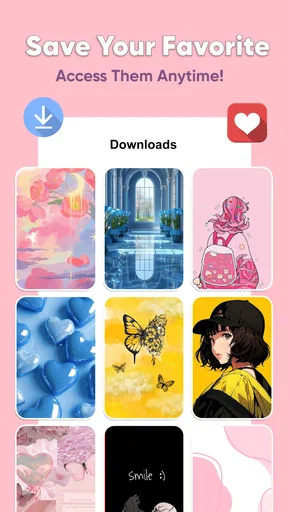
One of the standout features of this app is the personalization options. You can save your favorite wallpapers to a personal collection, making it easy to switch things up whenever you feel like it. The app even allows you to set wallpapers directly from the app, so there's no need to go through the hassle of saving the image to your gallery first.
Another neat feature is the ability to share your favorite wallpapers with friends. With just a tap, you can send a wallpaper to someone via social media or messaging apps. It's a fun way to share your latest aesthetic obsession or to help a friend revamp their own home screen.
Your first satisfying result
For a first successful try, choose one wallpaper that complements the icons you already use, preview it at full size, and set it directly from the app. Then leave it in place for a normal day instead of immediately swapping it again. You’ll quickly learn whether the colors make your screen feel cheerful, whether small text and icons remain easy to pick out, and whether the image still appeals after repeated checks.
Favorites are useful here for a reason beyond collecting pretty images: they let you keep a short list of alternatives without having to remember where you saw them. I’d save only the options I could realistically imagine using. A compact shortlist makes later changes quicker, and it gives you a simple way to compare a calm background with a more decorative one when your taste shifts.
High-Quality Images
Quality matters when it comes to wallpapers, and this app doesn’t disappoint. All the images are high-resolution, which means they look crisp and clear on any device. This is particularly important if you have a phone with a larger screen or a high-resolution display. The attention to detail in each wallpaper is impressive, with vibrant colors and intricate designs that stand out beautifully.
Even a sharp image can behave differently once it is cropped to fit a particular screen. Before settling on a favorite, check whether the part you like most remains visible in the preview and after setting it. Designs with delicate details may look best when the important elements are not hidden by the clock or app icons. That small check is especially worthwhile if you prefer an uncluttered home screen or keep widgets near the top.
Everyday use, not just the first browse
A realistic way to use the app is to make a quick change when you want your phone to feel different for a new week, season, or personal project. You might keep a soft, low-distraction choice for workdays and save a brighter design for the weekend. Since you can save favorites and set an image from inside the app, the process can stay brief instead of becoming a hunt through downloaded files and your photo gallery.
Sharing also gives the collection a practical social use: if a friend asks where you found a particular look, you can pass the image along rather than trying to describe its colors or pattern. I’d still choose a wallpaper for my own screen first, rather than picking one just because it looks good in a message. The layout, icons, and display make a difference, so what suits someone else may not feel right on your device.
Frequent Updates and Fresh Content
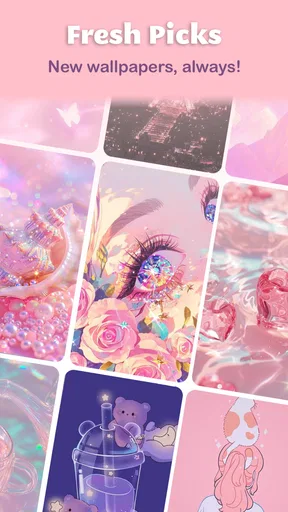
One of the things I appreciate most about Aesthetic Wallpaper for Girls is the frequent updates. The developers are constantly adding new wallpapers to keep things fresh and exciting. This means you’ll never run out of options or get bored with your current selection. The updates also ensure that the app remains compatible with the latest devices and operating systems.
Notifications about new content can be enabled, which is a great way to stay in the loop about the latest releases. However, if notifications aren’t your thing, you can easily turn them off in the settings.
Common points of confusion
One easy assumption is that a wallpaper that looks attractive in a full-screen preview will automatically be the most usable choice. In practice, the home screen is layered with icons, labels, and often widgets, so a patterned image can make the whole display feel busier than expected. If that happens, it does not mean the image is poor; it may simply work better as a lock screen or as an option to keep in your favorites for another occasion.
It is also worth separating the app’s core purpose from broader phone customization. This is a wallpaper app, not a complete theme makeover: choosing a background will not by itself reorganize icons or change the way your device works. If you want matching icon packs, custom widgets, or a system-wide visual overhaul, you may prefer dedicated customization tools alongside—or instead of—this app.
Easy on the Eyes and the Battery
While aesthetics are crucial, functionality shouldn’t be overlooked. The app is designed to be easy on your device's resources, so it won't drain your battery or slow down your phone. This is a big plus for those of us who are constantly on the go and rely heavily on our phones throughout the day.
Additionally, the app’s dark mode is a welcome feature. It not only looks sleek but also helps save battery life on phones with OLED screens. Plus, it’s easier on the eyes, especially when you’re browsing for that perfect wallpaper late at night.
Where it fits among alternatives
Compared with general wallpaper apps, which often mix photography, abstract art, and many unrelated styles, this one has a more focused identity. That can make browsing feel less scattered if cute and feminine designs are exactly what you want. The trade-off is choice: someone who wants a wide range of unrelated visual styles may find a broad wallpaper catalog more useful, while someone seeking a coordinated look can benefit from a narrower focus.
You can also use a photo from your own gallery or rely on the phone’s built-in wallpaper picker. Those options are sensible if you want a personal photograph or do not want another app in your routine. The advantage here is having a dedicated selection to browse, preview, save, and share in one place. The app is free to download, with optional in-app purchases priced from $0.99 to $99.99 per item, so I’d pay attention to any purchase prompt and decide whether the free experience already meets your needs.
Who will enjoy it—and who may not
I’d recommend trying it if you like decorative, cute backgrounds and want a quick way to refresh your screen without manually searching the web. It is particularly suited to someone who enjoys rotating wallpapers, keeps a small set of favorites, or likes sending visual finds to friends. Its simple purpose is also appealing if you are new to personalization and would rather choose an image than learn a more involved theme editor.
I would skip it if you want a highly functional customization suite, insist on a very specific image style outside its feminine aesthetic, or prefer using only personal photos. It may also be a poor fit if you rarely change your background and already have a wallpaper you love. In those cases, a broad image search, your own gallery, or the phone’s built-in picker may be more direct.
Next steps after choosing a background
Once you have a wallpaper you like, give it enough time to become part of your normal routine before deciding whether to keep browsing. If the screen feels crowded, try a less visually busy favorite; if it feels too plain, choose a design with more color or detail. This small adjustment is more useful than changing images repeatedly without noticing what is and is not working for you.
The app is free, has an Everyone content rating, and is currently at version 8.1.0, with Android 8.0 or later required. It was released on May 24, 2021, and is developed by DOSA Apps. Those details make it easy to check whether it suits your device and comfort level before installing. The main decision is still personal: whether its particular style gives you enough options to make your screen feel like yours.
In conclusion, Aesthetic Wallpaper for Girls is more than just an app; it’s a gateway to personal expression and creativity. Whether you're a fan of dreamy landscapes, chic patterns, or cute doodles, this app has something to offer. It’s user-friendly, offers high-quality images, and is continually updated with fresh content. It’s definitely worth checking out if you’re looking to add some flair to your phone. So why not give it a try and let your screen reflect your unique style?
Pros
- Vast collection of stylish wallpapers.
- User-friendly interface for easy navigation.
- Regular updates with new designs.
- High-resolution images for crisp display.
- Supports multiple screen sizes seamlessly.
Cons
- Contains frequent ads that can be intrusive.
- Limited customization options available.
- Requires internet connection for updates.
- Some wallpapers locked behind paywall.
- Occasional slow loading times reported.
FAQs for Aesthetic Wallpaper for Girls
What features make Aesthetic Wallpaper for Girls stand out from other wallpaper apps?
Aesthetic Wallpaper for Girls offers a curated collection of high-quality wallpapers designed specifically with feminine aesthetics in mind. It provides features such as daily updates, customizable categories, and the ability to save favorites. The app also ensures that all wallpapers are optimized for both Android and iOS devices, ensuring perfect fit and clarity.
Is Aesthetic Wallpaper for Girls free to use or are there in-app purchases?
While Aesthetic Wallpaper for Girls is free to download and offers a variety of free wallpapers, it does include in-app purchases. These purchases allow users to access premium wallpapers and features, such as ad-free browsing and exclusive content, providing a more personalized experience.
How often are new wallpapers added to the app?
The app is updated daily with new wallpapers, ensuring users have access to fresh and trendy designs regularly. This commitment to frequent updates helps keep the app relevant and engaging, providing users with a wide variety of aesthetic options to choose from.
Does Aesthetic Wallpaper for Girls consume a lot of data or battery life?
Aesthetic Wallpaper for Girls is designed to be efficient in both data usage and battery consumption. While downloading wallpapers will require data, the app itself is optimized to minimize battery drain, ensuring a smooth user experience without significantly impacting device performance.
Can I use wallpapers from Aesthetic Wallpaper for Girls on both my Android and iOS devices?
Yes, the wallpapers from Aesthetic Wallpaper for Girls are compatible with both Android and iOS devices. The app ensures that wallpapers are available in multiple resolutions, allowing users to enjoy them on various screen sizes without compromising quality or clarity.


